
How to Withdraw Funds from Your Uquid Account
Before You Start
Make sure you’re logged in at shop.uquid.com using your registered account.
Step-by-Step Withdrawal Guide
Go to Account
After logging in, open the Account section.Open My Wallet
Navigate to My Wallet, where your available balances are displayed.Select the Fund to Withdraw
Choose the currency you want to withdraw and click Transfer.Enter Recipient Details
Carefully input the recipient wallet information.Submit Your Request
Click Submit to complete the withdrawal request.
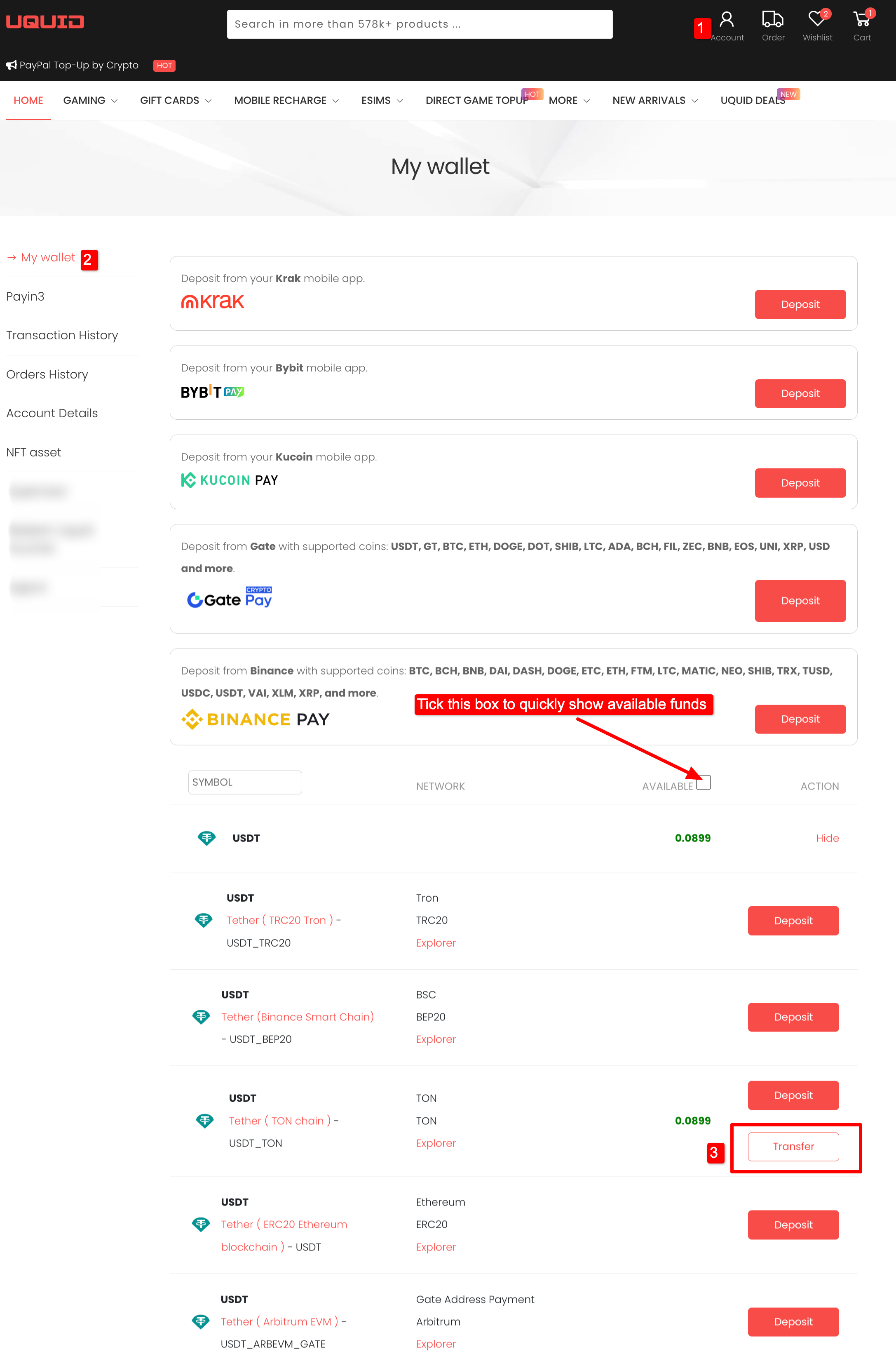
STEP 1-3
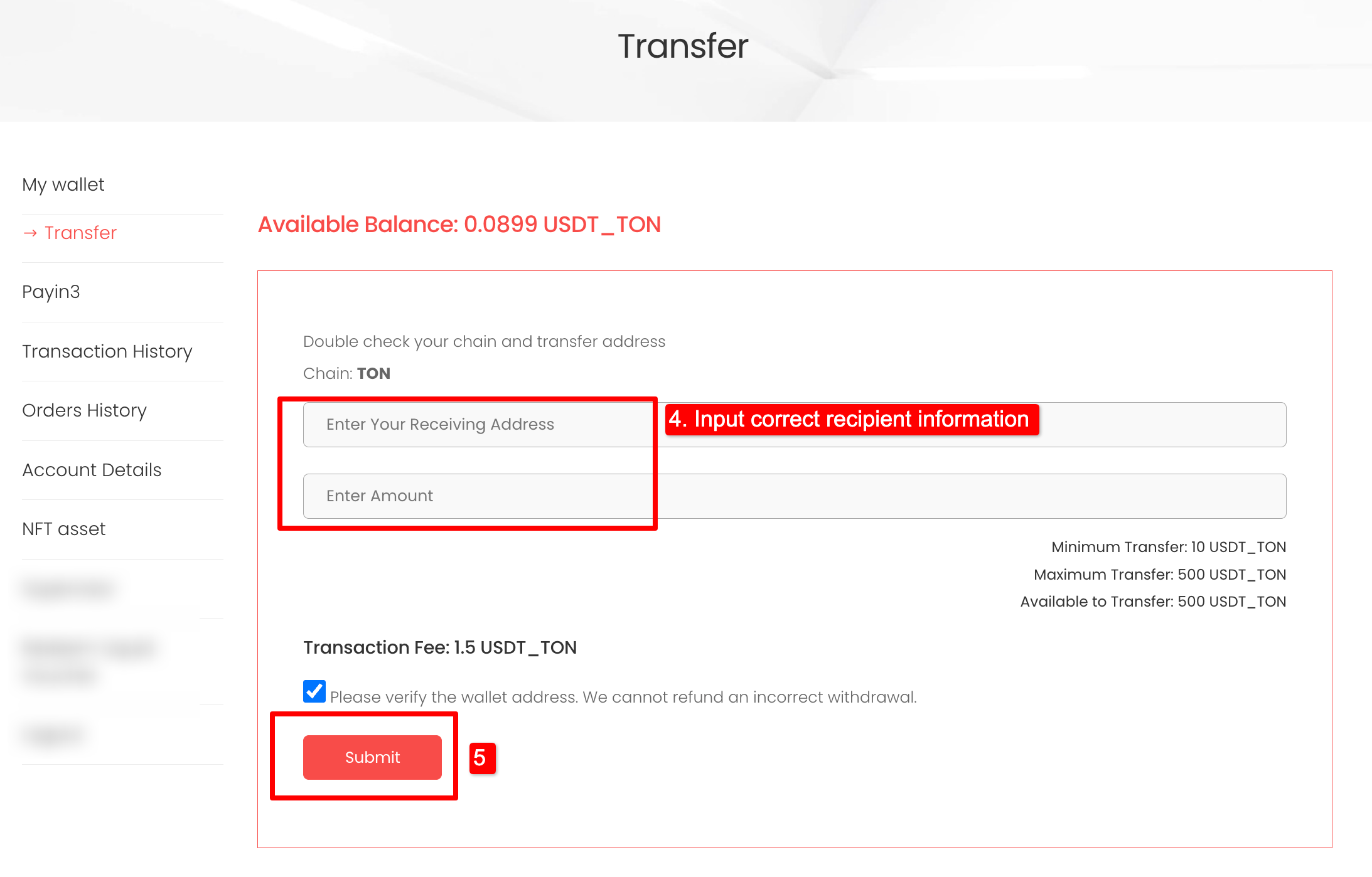
STEP 4-5
After Submitting
Once submitted, a confirmation message will appear.
You can track the status of your withdrawal anytime in Transaction History.